Android app · Solo academic project · 2025
LearnLog: where does study time actually go?
A solo Android app that brings tasks, a study planner, a focus timer, notes and insights together, so students can see where their study time really goes.
01 Overview
What it is
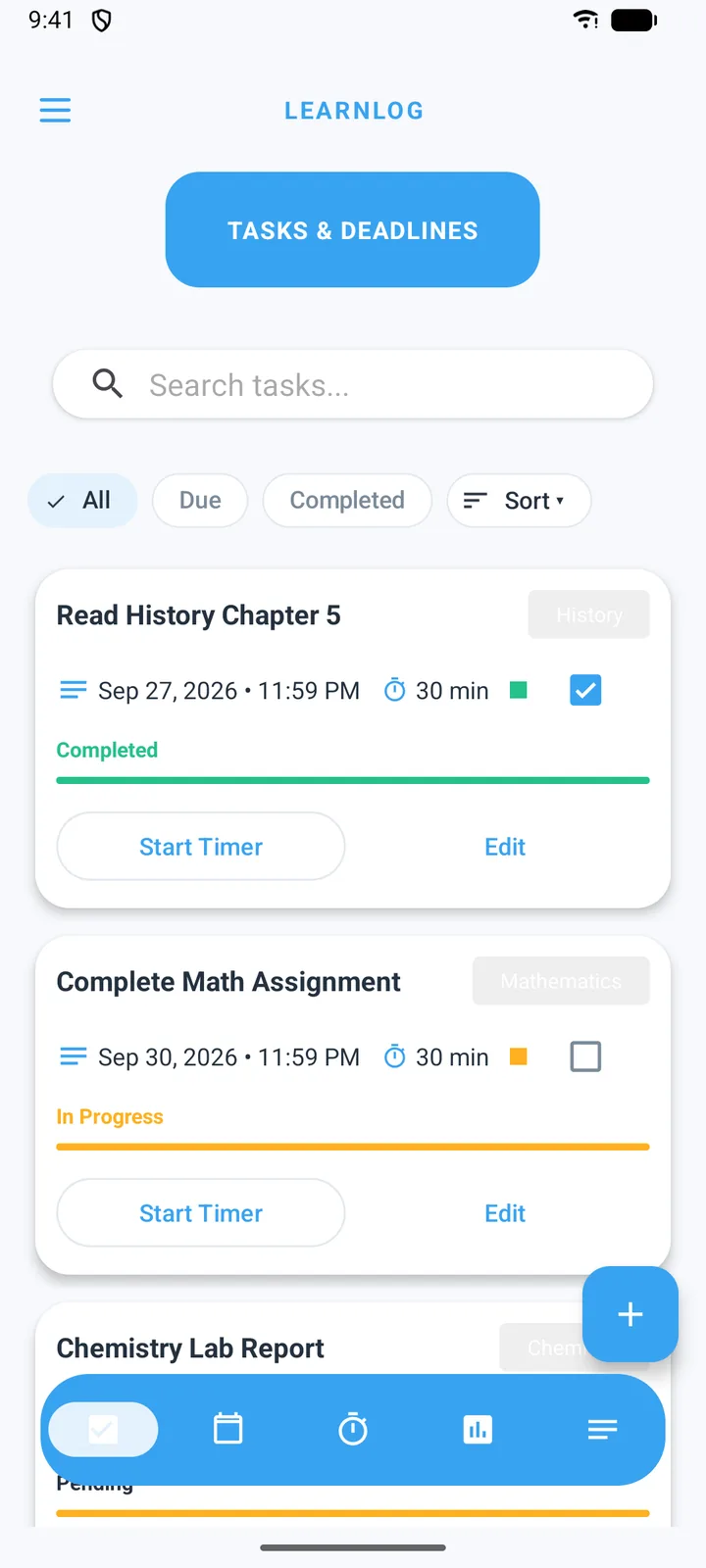
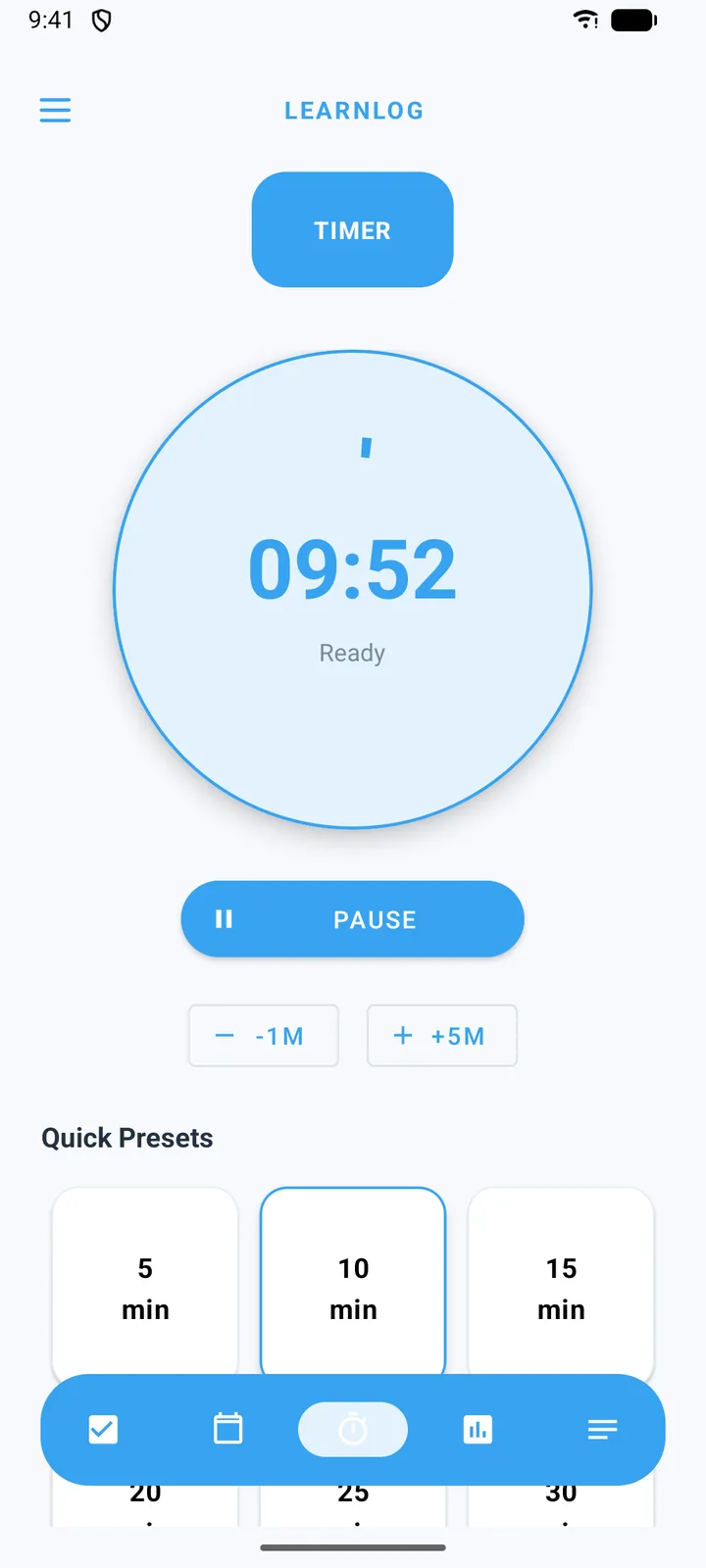
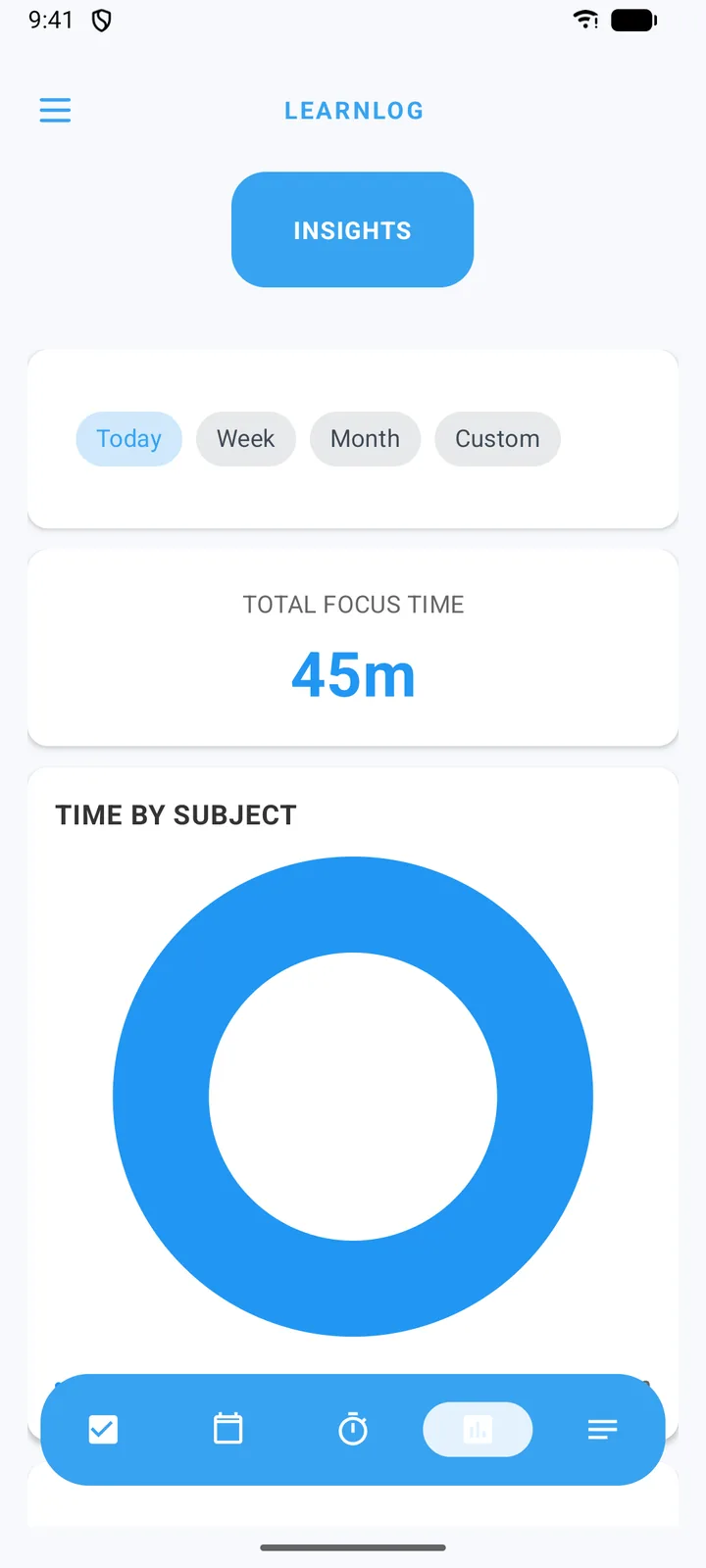
LearnLog is a native Android app for managing study time. It has five areas (Tasks, Planner, Timer, Insights and Notes) plus settings for timer presets, notifications, and data backup and restore. Insights also opens a more detailed Advanced Analytics screen with 7, 30 and 90-day views.
02 Problem & users
Planning and tracking usually live apart
A to-do list in one app and a timer in another makes simple questions hard to answer: Did I study what I planned? Which subject took most of my week? LearnLog is for university students juggling several subjects and deadlines, and it connects planning, doing and reflecting in one place.
03 My role
Scope
Solo project. I designed the screens, wrote the app and tested it. The repository history is mine alone: 28 commits between October and November 2025.
04 Approach
Architecture decisions
Offline-first with Room
Tasks, session logs, subjects, notes and daily roll-ups live in a local database, so they work without a connection. Firebase is used only for sign-in. (Planned study sessions are the exception; see the limitations below.)
A foreground service for the timer
Focus sessions run in a foreground service with a persistent notification offering pause, resume and stop, so a session keeps counting when the app is in the background.
Pre-compute daily totals in the background
A daily WorkManager job rolls the last 90 days of sessions up into per-day totals and per-subject breakdowns, and prunes roll-ups older than 180 days. The Advanced Analytics screen reads this small table instead of every raw session.
MVVM with Hilt and Kotlin Flow
Screens observe the database through view models, so Insights updates by itself when a session ends or a task is completed.
Data you can take with you
Export to JSON, or to a zip of CSV files (tasks and sessions), and import it back later.
05 Implementation
Building it, and one bug worth describing
The screens at the top of this page show the core loop: pick a task, start a focus session from it, and see the time land in Insights. Underneath, each screen writes to its own data, and Insights combines them:
- Timer writes to SessionLog table which feeds Focus time, streak, time by subject, actual minutes
- Tasks writes to Task table which feeds Completion rate, planned minutes
- Planner writes to Study sessions which feeds Planned minutes by day
InsightsRepository observes all three through Kotlin Flow, and a daily WorkManager job pre-computes per-day roll-ups.
06 Results
What works today
- Five working modules. Tasks, focus sessions, subjects and notes are stored in a local Room database and work offline; planned study sessions are not saved yet.
- A focus timer with presets and notification controls that survives backgrounding.
- Insights for total focus time, time by subject, task completion rate, and planned vs actual study time.
- JSON and CSV export and import, and email sign-in through Firebase Authentication.
07 Limitations & learning
What’s next
- Tests first where the bug was. The project only has the default example tests. I’d start with unit tests for the roll-up and Insights calculations.
- Use the roll-ups everywhere. Insights still aggregates raw sessions on every update; like Advanced Analytics, it should read long date ranges from the daily roll-up table.
- Persist planner sessions. Planned study sessions are held in memory, so unlike tasks and focus logs they don’t survive a restart. They belong in Room with everything else.
- Fix the planner calendar. Day numbers are clipped in the month grid on some screen sizes.
- Finish Google sign-in. The flow is written, but it needs an OAuth web client configured in Firebase before it works.
- One UI toolkit. Most screens use XML layouts with Fragments, and one Insights component uses Jetpack Compose. Moving screens to Compose would simplify the UI layer.
08 Links